
What's New in Exfluential: November 2026
A new Dashboard and Navigation, AI that speeds up content setup and search, and Certificates for every Learning Module. Here's everything that shipped this month and how to put it to work for your providers.
Log in to your admin portalUpdated Navigation
A simpler way to move around the platform.
The new Dashboard
Drag-and-drop layouts, header banners and Spotlight cards.
AI Search
Smarter results across global and in-page search.
Certificates
Learners earn and showcase credentials. Admins track completion.
Downloadable Activities
Learners keep a copy of the training they complete.
Smart Create
AI drafts File Download details for a batch of files in seconds.
Every month we share what's new in Exfluential in one place. This month's theme is simple: put the right content in front of providers faster, spend less time setting it up, and see who actually finished their training.
New Navigation: a simpler way to get around
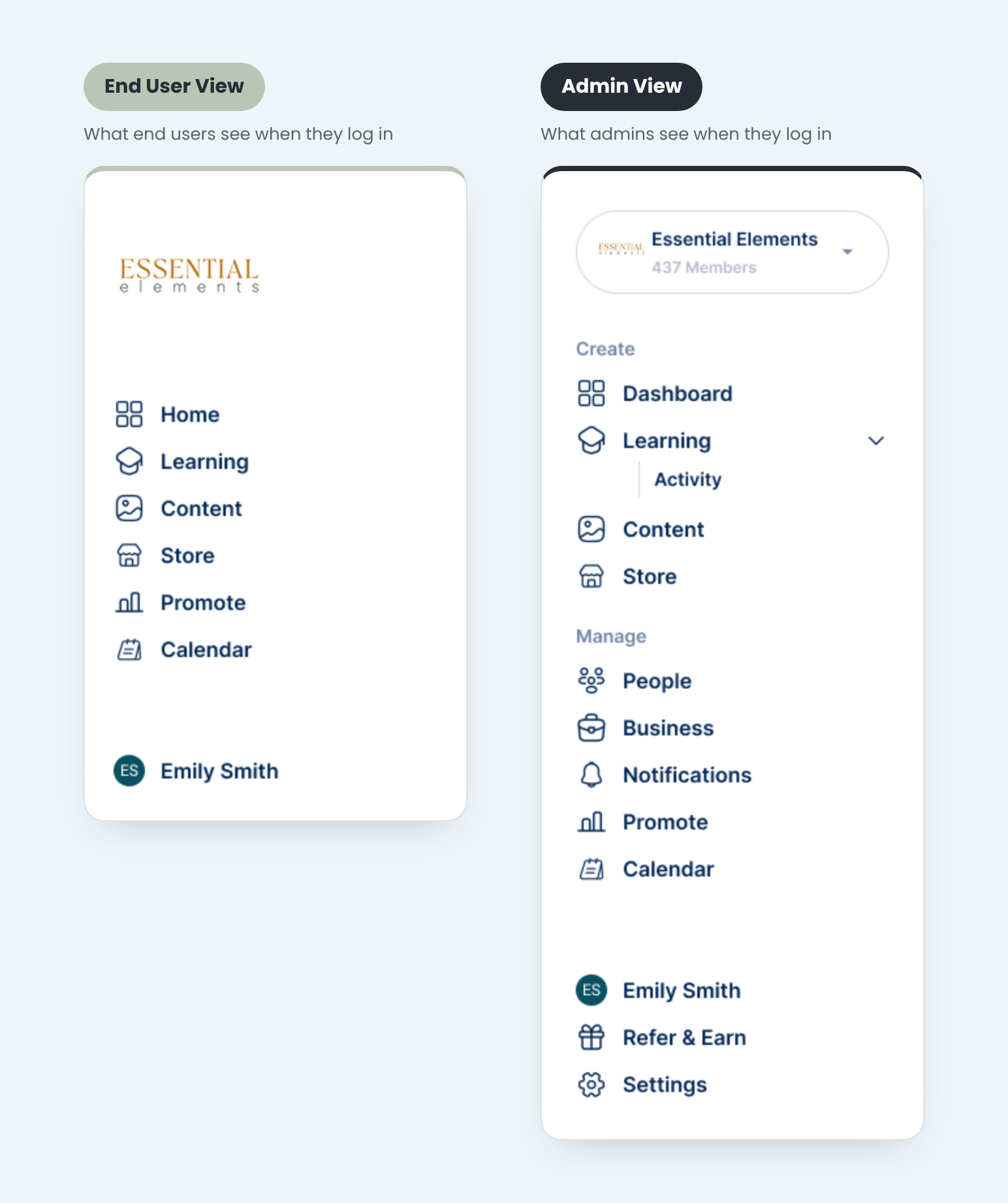
We reorganized the Navigation for admins and users so there's less clicking and faster access to the areas you use most.
Learning moved up
Learning now sits higher in the menu for both admins and users, so it's easier to find.
Dashboard is now Home
For users, the Dashboard is now called Home, the first stop after login.
Hubs live under Content
For admins, Hubs now sit under Content, alongside the rest of your content tools.
Simpler Sub-Navigation
Sub-nav dropdowns have been consolidated, so there are fewer menus to dig through.
Most-used areas first
Sections have been reordered so the areas you use most come first.
Same permissions
Users still only see the areas and content they have access to.
navigation-product-shot.png
The new Exfluential Dashboard is here
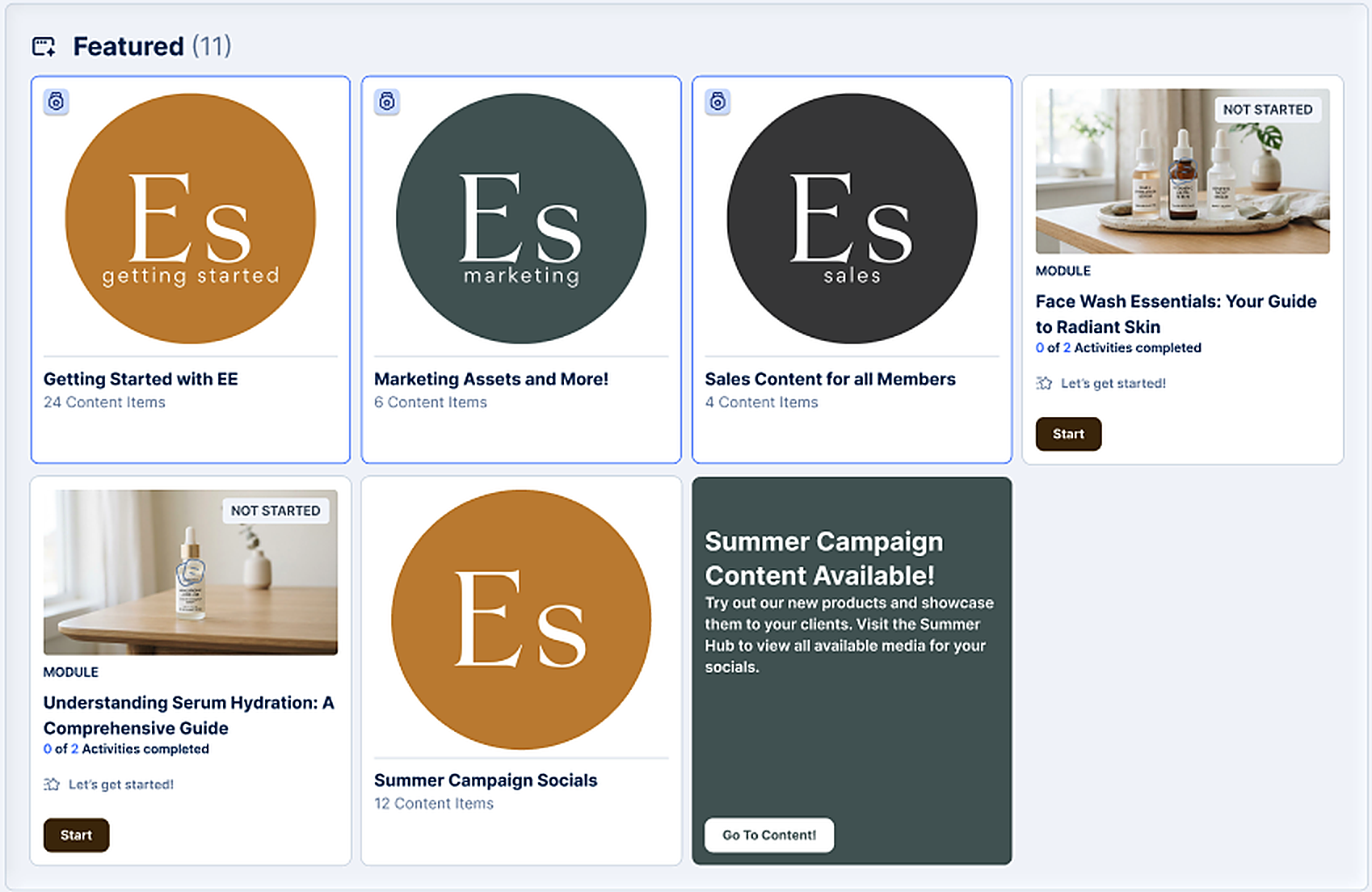
Put the right content in front of your users, right from login. Feature your campaigns, events, Content and Learning Modules front and center. It's automatically personalized, so users only see what they have access to and every Dashboard is tailored without extra work from you.
Drag-and-drop layouts
Build and arrange the Dashboard to showcase Hubs, Learning Modules and Spotlight cards.
Branded header banners
Upload up to five header images to match your brand, with auto-rotation every 3, 5 or 8 seconds.
Spotlight cards
Highlight your next event, launch or campaign with your own message, button and brand colors.
Learning on the Dashboard
Feature Learning Modules alongside Hubs, so training is the first thing providers see.
1600 × 900 recommended
AI Search: smarter results across the platform
Providers log in with a specific need, like a patient handout, a training video or the latest campaign kit. Launching November 12, AI Search goes beyond matching keywords. It reads deeper into your content to surface the most relevant results, so providers find the right thing faster.
Global and in-page search
Relevant results everywhere, whether providers search the whole platform or a specific page.
Deep-search results
AI Search goes beyond titles, reading content to surface precise matches.
Type-ahead and recent searches
Providers see their 10 most recent searches the moment they click the search bar, plus suggestions as they type.
Shareable search links
Share a link that rebuilds the search for a teammate. Results respect each viewer's permissions.

1600 × 900 recommended
Certificates: recognize every completion
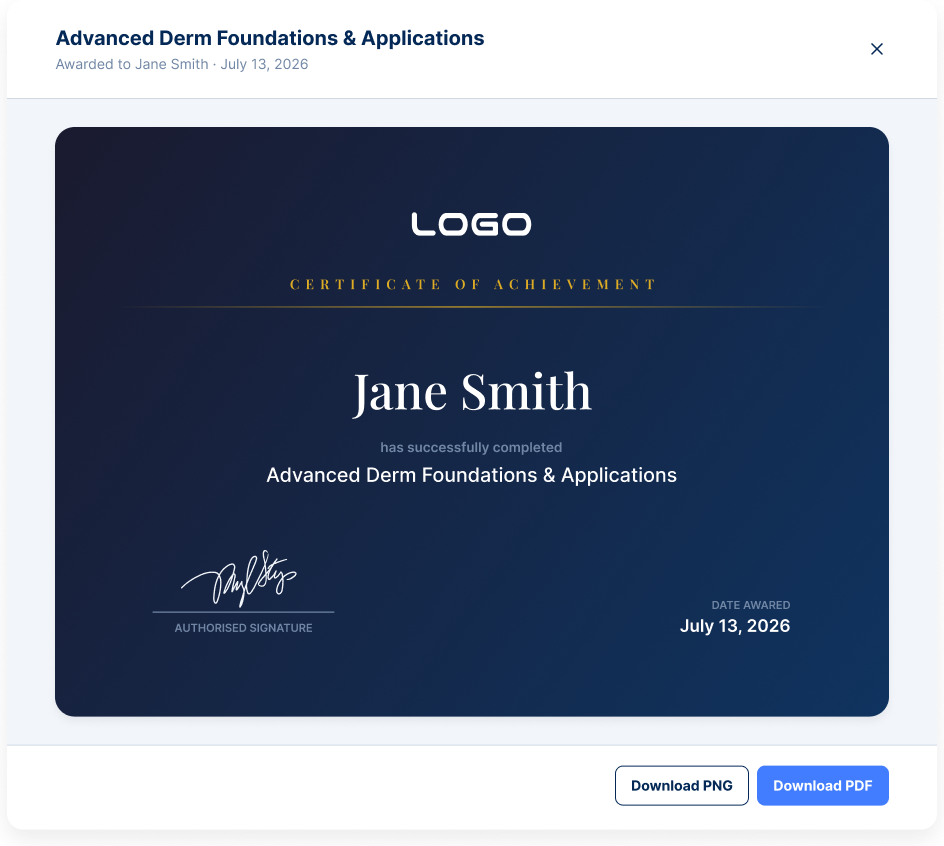
Learners can now earn branded Certificates the moment they complete a Learning Module, and showcase them right from their profile. For your team, Certificates are the newest way to get more out of Learning: a reason for providers to finish what they started, and a clear record of who completed training and when.
Your brand, your design
Customize Certificates to match your organization and assign them to any module.
Awarded automatically
Learners receive their Certificate the moment they complete the module, with no manual work from your team.
Earn it, show it off
Learners can view, download and share their Certificates anytime from a dedicated tab in their profile.
Track every completion
Admins can see who has earned each Certificate and when.
1600 × 900 recommended
Downloadable Activities
Alongside Certificates, learners can now download the Activities they complete. Their training stays on hand for review and their own records, even outside the platform.

1600 × 900 recommended
Smart Create: File Downloads at lightning speed
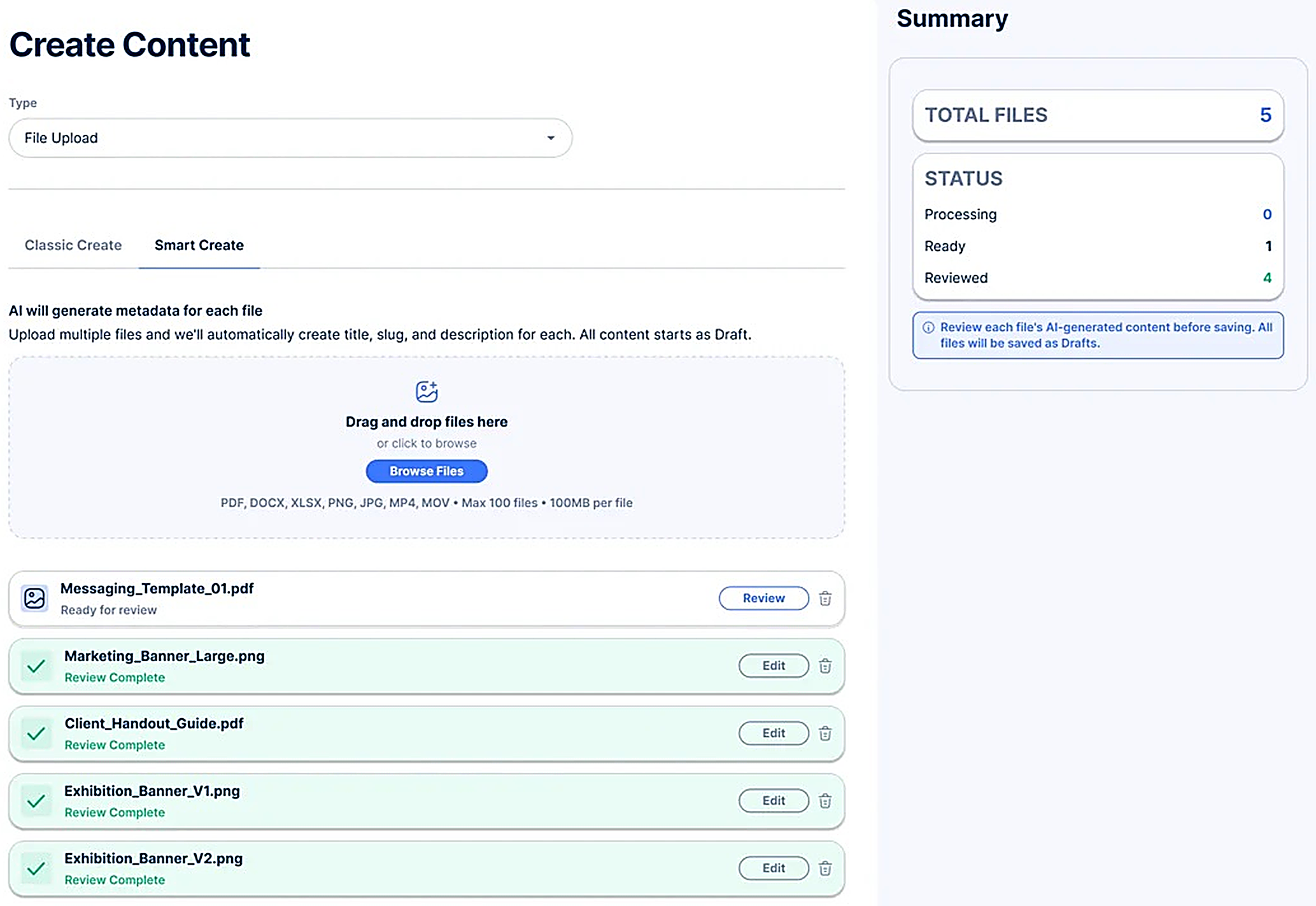
File Downloads are one of the most-created content types across Exfluential, and you build them constantly. Smart Create is your new AI assistant for File Download setup: upload multiple files at once and let it handle the heavy lifting.
Instant metadata drafts
Smart Create analyzes your uploaded files and drafts suggested titles, descriptions and file URLs (slugs) in seconds.
Full control
Review the suggestions, make quick edits and publish. Nothing goes Active until you click Save.
Privacy first
Files are read in real time only to generate metadata. Your data is never used to train AI models.
Classic Create stays
Prefer the old way? Classic Create is still right there whenever you want it.
1600 × 900 recommended
Four ways to get maximum value from Learning
Certificates are the newest driver for completions. Pair them with features already in your platform to keep providers moving through training.
Pair a Certificate with your next launch
Give providers an extra reason to complete your newest product training before launch day.
Time follow-up with completion dates
Completed dates appear on each module and profile. Filter and sort learners by status to see who needs a nudge.
Feature Learning on your Dashboard
Add Learning Modules to your Dashboard so training is front and center at login.
Build modules without limits
There's no longer a cap on Activities per module, and learners can preview files before downloading.
